 AI Tattoos
Free tool · no sign-up
Tattoo fonts for quotes
Paste the quote, break it into lines or run it down the spine, see it in every font at the size it will really be, and download the stencil. Quotes are the lettering that most often ends up too small to read — this page is built to prevent that.
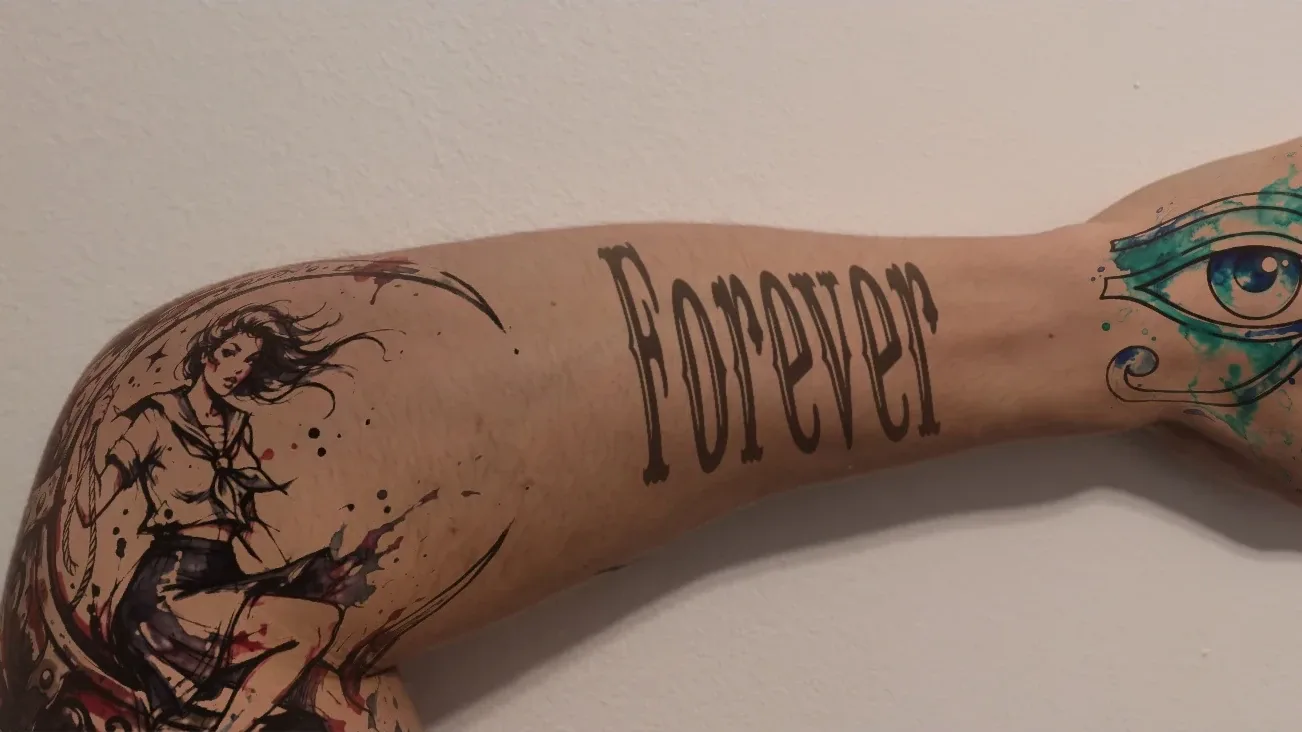
How to set a quote in a tattoo font
Type something above and it appears here.
The card outline is the size of a real bank card — hold yours against it. If it does not match, calibrate the screen.
Layout
Style
Hollow black outlines, the way an artist traces them: solid fills smear on thermal stencil paper. Mirror it if you print it yourself.
Size
Hold a bank card against the screen and drag the slider until the outline matches its width. Then the preview and the ruler are true to life.
Ink spreads 10–20 % under the skin over the years and thin lines soften. Slide to see how the lettering will read later — "bold for old".
Ink colour
Dozens of tattoo effects — gradients, glow, 3D shadow, textures — are only available in the app right now. It’s entirely free.
Tattoo font 262 fonts
Over 150 fonts, most of them made in-house and unique to this site. Every row shows your text in that font; the text field, size and search stay pinned while you scroll. Free for personal and commercial use.
No font matches that. Try another word or clear the filter.
A quote is a paragraph on skin — treat it like one
Names are decided by the capital letter; quotes are decided by readability. Eight words in an ornate script at 2 mm x-height look wonderful on a phone screen and become a grey smear on a forearm within a few years. The two questions that matter are how many lines the quote breaks into and how big each line can be where you want it, and the answers decide the font more than taste does.
Press Enter in the text field to break the quote into lines. The generator sets them centred with a line spacing you control, and every row of the font list shows the same words, so you can compare a script, a serif and a sans-serif with the real text instead of a sample.
Fonts that stay readable as a sentence
Fine scripts (Sacramento, Great Vibes) are the most requested and the least forgiving: their hairlines are the first thing to blur, so give them size and generous line spacing. Handwriting fonts (Caveat, Homemade Apple) read as a note someone left you and survive better because the strokes are even. Clean serifs (Cormorant) and sans-serifs read like a printed line and are the safe choice for anything longer than six or seven words.
Blackletter, chicano and display faces are for short quotes only — two or three words, one line, large. A whole sentence in blackletter is a texture, not a text. If the quote is long and you want that weight, set the key words in the heavy face and the rest in something plain.
Spine, ribs, forearm: laying out the lines
The spine is the placement that made vertical quotes a genre: one line running from the neck down, read top to bottom. Pick the vertical layout in the tool and the whole quote rotates to read downwards; keep it in a face with even strokes, because a spine tattoo is read from a distance and any hairline vanishes. Stacked letters (one under the other) is the other vertical option and suits short words in capitals, not sentences — cursive cannot join vertically.
On the ribs and the forearm, two to four lines centred is the classic. The rule for line spacing: the descenders of one line must not touch the ascenders of the next after the ink has spread, so err on the side of air. Keep every line the same font and size; a quote that changes size mid-sentence reads as a mistake. And check it mirrored if it sits where you will see it in a mirror more often than others see it directly.
Size, ageing and the stencil
Set the real width of the block in the tool, calibrate your screen once against a bank card, and the preview and the ruler show the quote at its true size. The size check reads the x-height of the font at that size and warns when script drops under 3 mm or a fine face gets too thin. The ageing slider then shows what a decade or two does to the lines, which is the moment most people go one size up.
Download the PDF stencil once you are happy: it prints at exactly the width you set, in pure black, with a ruler on the page so your artist can confirm the scale. The PNG and the SVG are there for messaging and for scaling; none of them is a font file — this page renders your words, it does not hand out typefaces.
How to set a quote in a tattoo font
-
Paste the quote, break the lines
Press Enter where you want a new line. Adjust the line spacing so the lines breathe. Or pick the vertical layout for a spine piece.
-
Compare fonts with the real words
Every row shows the whole quote in that font. Shortlist with the heart, filter to favourites, copy the link to send it on.
-
Check the size, download the stencil
Real width, the size check, the ageing preview, then the PNG, SVG or true-to-size stencil PDF for your artist.
Frequently asked questions
What is the best font for a quote tattoo?
One that is still readable as a sentence at the size you can afford: a clean serif or sans-serif for anything long, a handwriting font for a personal note, a fine script only if the lines can be large. Type your actual quote into the list on this page and compare — the answer is different for every quote.
How do I make a multi-line quote tattoo?
Press Enter in the text field where a line should break. The generator centres the lines and lets you set the line spacing; keep enough space that descenders and ascenders never touch, because the ink will spread a little over the years.
How do I make a spine tattoo quote?
Choose the vertical layout: the quote rotates to read from top to bottom, the way spine lettering is done. Use a font with even strokes, keep it to one line, and size it for reading at a distance.
How small can quote lettering be?
For script, 3 mm x-height on stable skin and more on hands, wrists or ribs; plain fonts can go a little smaller. Below that the counters close up within years. The size check in the tool tells you where your quote lands.
Can I mix two fonts in one quote?
Sparingly: the key words in an expressive face and the rest in a plain one works; two decorative faces do not. Keep one size for the whole quote and change only the style.
Is this free and do you keep my quote?
Free, no account, and nothing is uploaded: the text is rendered in your browser and never sent anywhere. The shortlist link you can copy carries the text so the person you send it to sees the same preview.
See the quote on your own skin
The AI Tattoos app puts the same fonts on a photo of you, with colour, outline and effects, and keeps the design until your appointment.