 AI Tattoos
From napkin doodle to ink-ready
Sketch to Tattoo
Draw a rough outline, even a napkin doodle, and watch sketch to tattoo turn it into a detailed, ink-ready tattoo design that keeps your idea intact.
Your idea stays yours
A rough sketch is not a weakness, it is the starting point. Sketch to tattoo takes your hand-drawn lines and refines the linework, shading and detail into a clean, ink-ready tattoo design. The AI does not replace your idea with something generic, it finishes your drawing while keeping the concept and composition you put on paper.
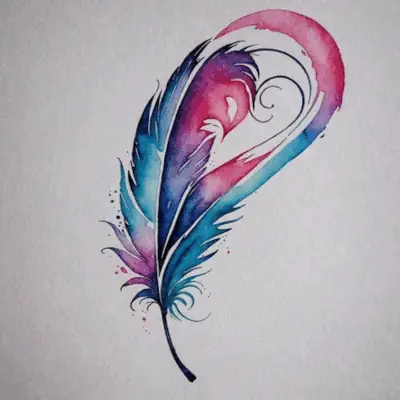
That heart-and-feather sketch above started as a rough hand-drawn outline. Sketch to tattoo turned it into the finished design next to it, same idea, same composition, ready for a tattoo artist to work from.
From doodle to studio-ready
Sketch on paper, snap a photo, or draw directly in the app, rough is fine either way. Once the AI turns your sketch into a tattoo, bring the finished design to your tattoo artist as a reference or a stencil starting point for your session.
Every tattoo style, from your own drawing
Your sketch is not locked into one look. Sketch to tattoo can render your drawing in Black & Grey, Fine-Line, Watercolor, Traditional, Geometric, Illustrative, New School, Lettering or Tribal, so you can see your own idea finished in the tattoo style that actually suits it.
Useful for tattoo artists too
A client hands you a rough idea on a napkin. Turn it into a presentable, ink-ready draft in seconds, a fast way to align on concept before the needle ever touches skin.
How sketch to tattoo works
-
Draw your idea
Sketch on paper or directly in the app. Rough is fine, sketch to tattoo just needs your basic shapes and lines.
-
AI turns it into ink-ready art
The AI refines your sketch into a detailed, ink-ready tattoo design, keeping your concept and composition intact.
-
Pick a style, preview on your skin
Choose or change the tattoo style, then open tattoo try-on to preview the finished design on your own body photo.
Frequently asked questions
How good does my drawing need to be?
Rough is fine. A basic outline or a napkin doodle gives sketch to tattoo enough to work with, you do not need to be able to draw well.
Will the result still look like my idea?
Yes. The AI refines linework, shading and detail, but keeps the concept and composition of your original sketch. It finishes your drawing, it does not replace it.
Can I choose the tattoo style?
Yes. Your sketch can be rendered in any style the app supports, including Black & Grey, Fine-Line, Watercolor, Traditional, Geometric, Illustrative, New School, Lettering and Tribal.
Can I see it on my skin first?
Yes. Once your sketch becomes a finished design, open tattoo try-on to preview it on your own body photo before you decide anything.
Is sketch to tattoo free?
AI Tattoos is free to download, with in-app purchases available. You can try sketch to tattoo without any upfront cost.
Does it work on iPhone and Android?
Yes. AI Tattoos is available on both the App Store and Google Play.
Your sketch deserves real ink
Turn your rough drawing into an ink-ready tattoo design, try it on your own body photo, and bring it to your next session.