 AI Tattoos
Change tattoo style
Change Tattoo Style: Restyle Any Tattoo with AI
You have a tattoo design you like, but in the wrong style? Upload any tattoo image in the app, describe the scene, choose the new tattoo style and the AI redraws it: watercolor to geometric, fine-line to traditional, blackwork to dotwork. The subject stays, the style changes.
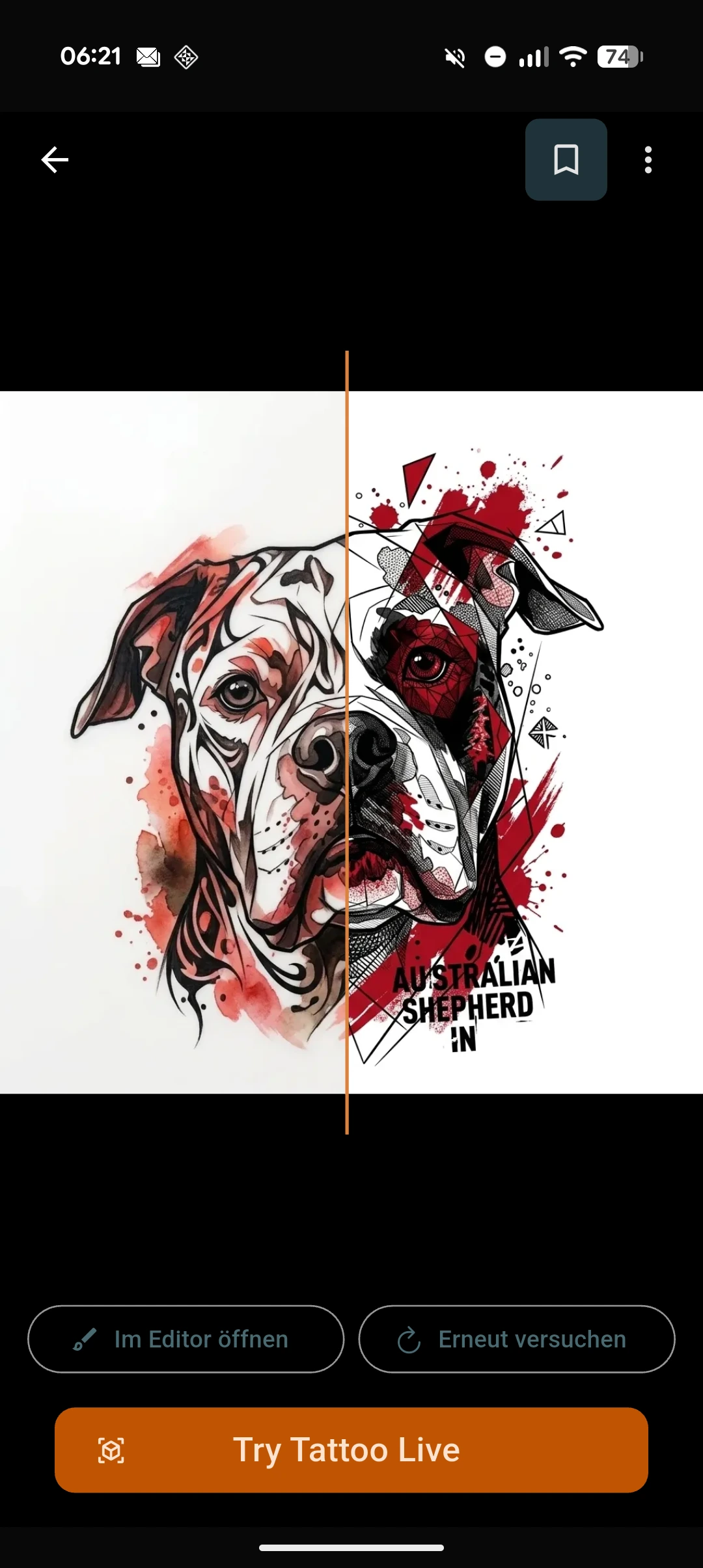
Same tattoo, different style
Style is the decision that changes a tattoo most, and it is the hardest one to picture. A snake drawn fine-line and the same snake drawn traditional have almost nothing in common on skin. Style change lets you keep the subject you already love and audition it in another treatment: upload the tattoo image, tell the app what the scene is, pick the target style, done.
It works with any tattoo image: a design you generated in the app, a flash sheet you saved, a photo of artwork you have permission to use, even a photo of an existing tattoo. The AI redraws the subject as new, original art in the chosen style; it does not run a filter over the picture.
How this differs from image to tattoo
Image to tattoo turns an ordinary photo (your dog, a place, a memory) into a tattoo design. Style change starts from something that is already a tattoo and moves it into another style. The logic underneath is similar, the starting point is not: one converts a photo, the other restyles existing tattoo art.
In practice they chain well. Convert a photo into a fine-line design first, then run style change to see the same subject as blackwork, dotwork or watercolor before you commit to one.
Honest limits
Style change designs a new version of the artwork. It does not change ink that is already in skin: reworking or covering an existing tattoo is a conversation with a professional artist, and a restyled design is a great thing to bring to that conversation. And if you restyle art you did not draw, make sure you have the right to use it; your artist will adapt it into their own hand anyway.
How changing a tattoo style works
-
Upload the tattoo image
Any tattoo image works: one you generated, one you saved, or a photo of existing ink.
-
Describe the scene and pick the new style
Say what the tattoo shows, then choose the target style: watercolor, geometric, traditional, fine-line, blackwork and more.
-
Get the redrawn design
The AI redraws the subject as original art in the new style, ready to compare, save or try on your skin with the Studio.
Frequently asked questions
Can I change the style of an existing tattoo?
You can change the style of the design: upload a photo of the tattoo and the AI redraws the subject in the new style. Changing the ink that is already in your skin is a job for a professional artist (rework or cover-up), and the restyled design is exactly what to bring them.
Which tattoo styles can I switch between?
The app covers the full style set: watercolor, geometric, fine-line, traditional, black & grey, blackwork, dotwork, illustrative, new school, tribal and more. Any subject can be redrawn in any of them.
Is this a filter over my image?
No. The AI reads the subject of the tattoo and draws new, original art in the target style. Edges, line weight and shading are native to the new style, which is why the result reads as a tattoo rather than a processed picture.
What is the difference between style change and image to tattoo?
Image to tattoo converts an ordinary photo into a tattoo design. Style change takes an image that is already a tattoo and redraws it in another style. Same underlying idea, different starting point.
Is changing a tattoo style free?
AI Tattoos is free to download with in-app purchases available. You can try the style change without any upfront cost.
Restyled? See it on your skin.
Send the redrawn design straight into the Studio and see it on a photo of your own body before anyone picks up a machine.